

The End of Inbox Overwhelming: How AI Email Automation Changes Everything
Stop spending hours manually sorting through your inbox. Learn how AI can read, extract, and act on your emails automatically.

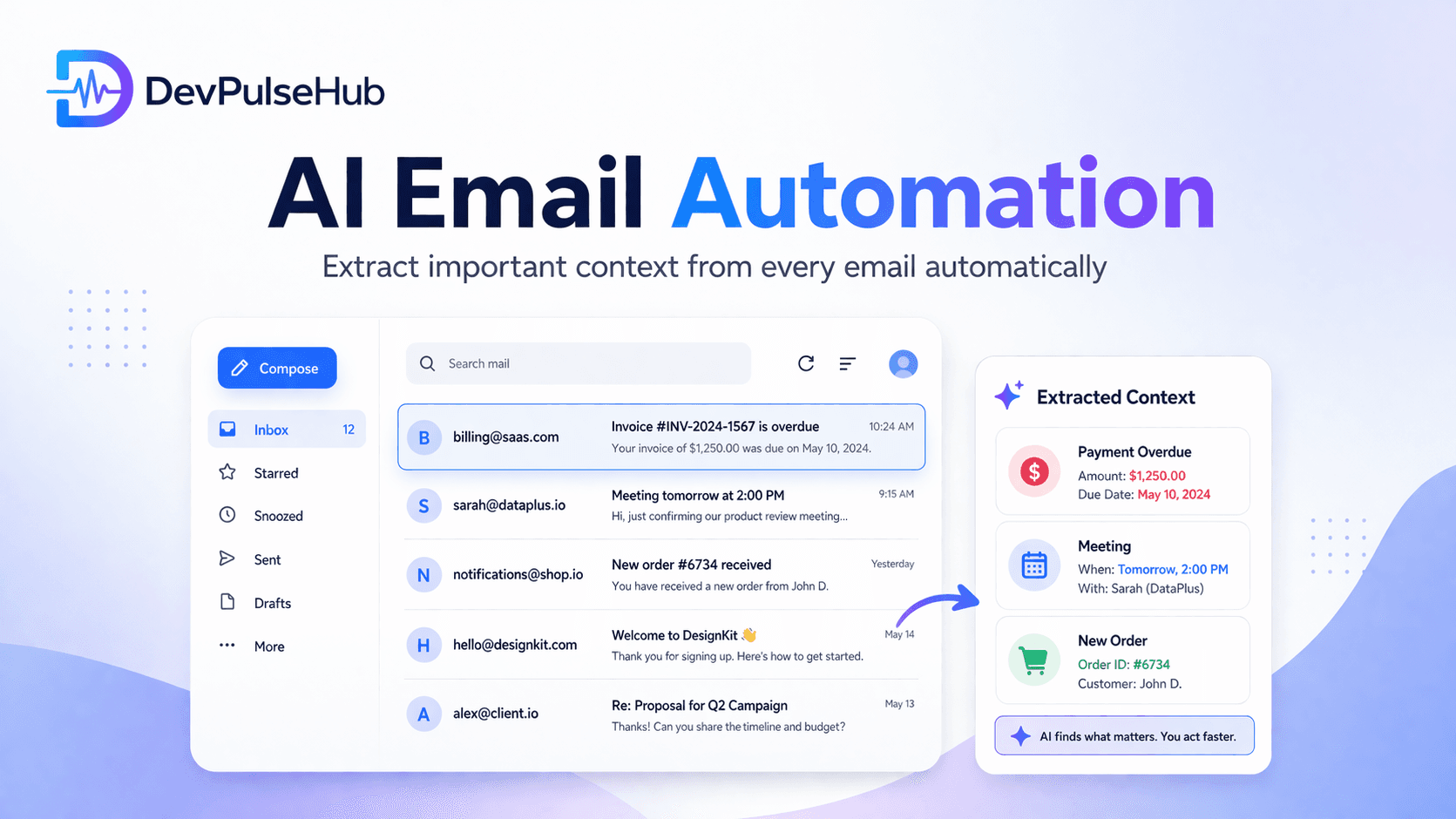
For most business owners and professionals, the inbox is a double-edged sword. It’s where your most important deals begin, but it’s also where your most productive hours go to die. We’ve all been there: staring at hundreds of unread messages, trying to figure out which one is a "thank you" note and which one is a high-priority payment confirmation.
The problem isn't just the volume of emails; it’s the mental energy required to process them. You have to read, understand, decide what’s important, and then take action. Doing this manually for every single message is slow, exhausting, and prone to error.
This is where AI Email Automation steps in.
What is AI Email Automation?
Traditional email filters use simple logic, like "if the subject contains 'Invoice,' move to the folder." But humans don't always use the exact same words. Someone might say "Bill," another might say "Payment Details," and another might just attach a PDF called "Scan_001."
AI Email Automation is different. It doesn’t just look for words; it understands context. Think of it as a digital assistant that actually reads your mail. It uses Natural Language Processing (NLP) to identify the intent and extract specific data points, just like a human would, but at the speed of a computer. It understands that "I'll pay you next week" and "Transaction failed" are both about payments but require completely different reactions.
How It Actually Works: The Three-Step Process
The beauty of this system lies in its simplicity for the user. Behind the scenes, it follows a logical three-step workflow that balances advanced AI with essential security.
1. Secure Connection & The Reading Phase
The process begins with a secure connection. Most modern systems use OAuth 2.0, which means the automation tool never sees your password. It only gets a temporary "key" (token) from your provider like Gmail or Outlook.
Once connected, the AI monitors your inbox. As new emails arrive, the AI performs an initial "scan." It doesn’t just look at the text—it analyzes the sender's reputation, the subject line context, and any attached files. This ensures that the system is only processing legitimate business communications and not clutter or spam.
2. The Extraction Phase (The "Smart" Part)
This is the core of the technology. Instead of just flagging an email, the AI pulls out structured data. For example:
- Payment Status Identification: "Is this a payment received, a request for a refund, or a notification of a failed transaction?"
- Meeting Detail Extraction: "When exactly is the meeting? Is the time zone specified? What is the suggested platform (Zoom, Google Meet, or Physical)?"
- Order Update Analysis: "What is the carrier (FedEx, UPS)? What is the unique tracking ID? Is there a delay mentioned?"
The AI converts messy, conversational text into a clean format (like JSON) that other software can easily understand.
3. The Action & Integration Phase
Once the info is extracted, the system takes the next logical step. It connects to the rest of your business "stack." It might:
- Update Your CRM: Automatically log a sales lead directly into HubSpot or Salesforce.
- Notify the Team: Send a message to a specific #support channel on Slack when an "Urgent" keyword is detected in a non-urgent-looking email.
- External Workflows: Trigger a webhook that starts another process in your own custom software or tools like Zapier and Make.com.
- Schedule & Sync: Automatically push meeting dates to your calendar while sending a "Received" acknowledgment to the sender.
Key Benefits: Why You Should Care
If you're wondering if this is worth the setup, consider these three major impacts on your business efficiency.
1. Massive Time Savings (20+ Hours per Month)
For the average professional, email takes up nearly 30% of the workweek. By automating the sorting, tagging, and data entry part of those emails, you reclaim hours of your day. This translates to hundreds of hours over a year that can be spent on high-level strategy and growth rather than clicking "Archive" and "Reply."
2. Zero Missed Detail (Precision at Scale)
Humans get tired, especially on a Friday afternoon. After reading 50 emails, it’s easy to skim over a vital line about a "change in meeting venue" or a "new shipping address." An AI never has a "bad day." It extracts every relevant detail with the same high precision, every single time, ensuring your records are always 100% accurate.
3. Faster Business Response (The Speed-to-Lead Advantage)
In today’s market, the first business to respond often wins the deal. If a customer sends an inquiry at midnight and gets an intelligent, automated reply with the exact information they need by 12:01 AM, you’ve built immediate trust. Automation removes the "waiting period," making your business feel more responsive and professional.
4. Human-in-the-Loop Confidence
One of the best parts of modern AI automation is the "human-in-the-loop" feature. You can set the system to act automatically for 90% of tasks but flag "unsure" cases for a human review. This gives you the speed of a machine with the safety and judgment of a human when it's needed most.
Real-World Examples: Automation in Action
Let’s look at how this looks in a typical business day:
Example A: The Payment "Watchdog"
An email arrives from a vendor saying: "Your payment for Invoice #452 is now 3 days overdue."
- AI Action: The system identifies the "Overdue" status, extracts the invoice number (#452), and immediately pings your accounts department. It can even check your banking records (via API) to see if the payment was actually sent and simply hasn't cleared, giving you the full picture before you even open the message.
Example B: The Intelligent Calendar Assistant
A client writes: "Hey, let's meet this Thursday at 3 PM at the downtown cafe to discuss the contract."
- AI Action: The AI recognizes this as a meeting request. It extracts the date, time, and location. It then cross-references your calendar for any conflicts. If you’re free, it can reply with a "Yes, I'm available!" and send the calendar invite for you. If you're busy, it can suggest your next three available slots automatically.
Example C: The Automated Delivery Tracker
A supplier sends a shipping confirmation with a messy tracking link and a PDF attachment.
- AI Action: The AI pulls the tracking number and the carrier name. It then updates your internal "Order Status" dashboard. If the shipping update mentions a "delay due to weather," the AI can proactively email the customer to manage their expectations—without you lifting a finger.
Why Simple is Better for Your Workflow
You don't need a complex, expensive dashboard to benefit from this technology. The best AI tools are the ones that work in the background. For developers, this means building API-driven flows that allow different apps to "talk" to each other. For business owners, it means a cleaner inbox, fewer "to-do" tasks, and a much clearer mind.
Conclusion: Take Back Your Life
The "Inbox Zero" dream is finally possible, not through extreme discipline, but through smart technology. AI Email Automation isn’t about replacing your communication; it’s about removing the manual labor that surrounds it. It’s about making your email work for you, rather than you working for your email.
At DevPulseHub, we build these exact kinds of high-impact AI systems. We help businesses integrate smart automation into their existing workflows so they can scale without the stress.
Ready to stop manual sorting? Explore how DevPulseHub can automate your business and let your AI assistant handle the inbox while you focus on building the future.
More Articles
The Ultimate Guide to Instagram Comment Automation: Scaling Engagement with AI
Master Instagram engagement with AI-powered comment automation. Learn how keyword-based rules and smart AI replies can transform your social media strategy.
April 2, 2026
How Our AI Blog Writer Creates Amazing Content Automatically
Learn how we use smart AI technology to write engaging blog posts and create beautiful images - all without human writers!
March 19, 2026