

The Ultimate LinkedIn Hack: How AI-Powered Comments are Changing the Networking Game
Master LinkedIn networking with an AI-powered Chrome extension. Learn how to generate smart, personalized comments that boost engagement in seconds.

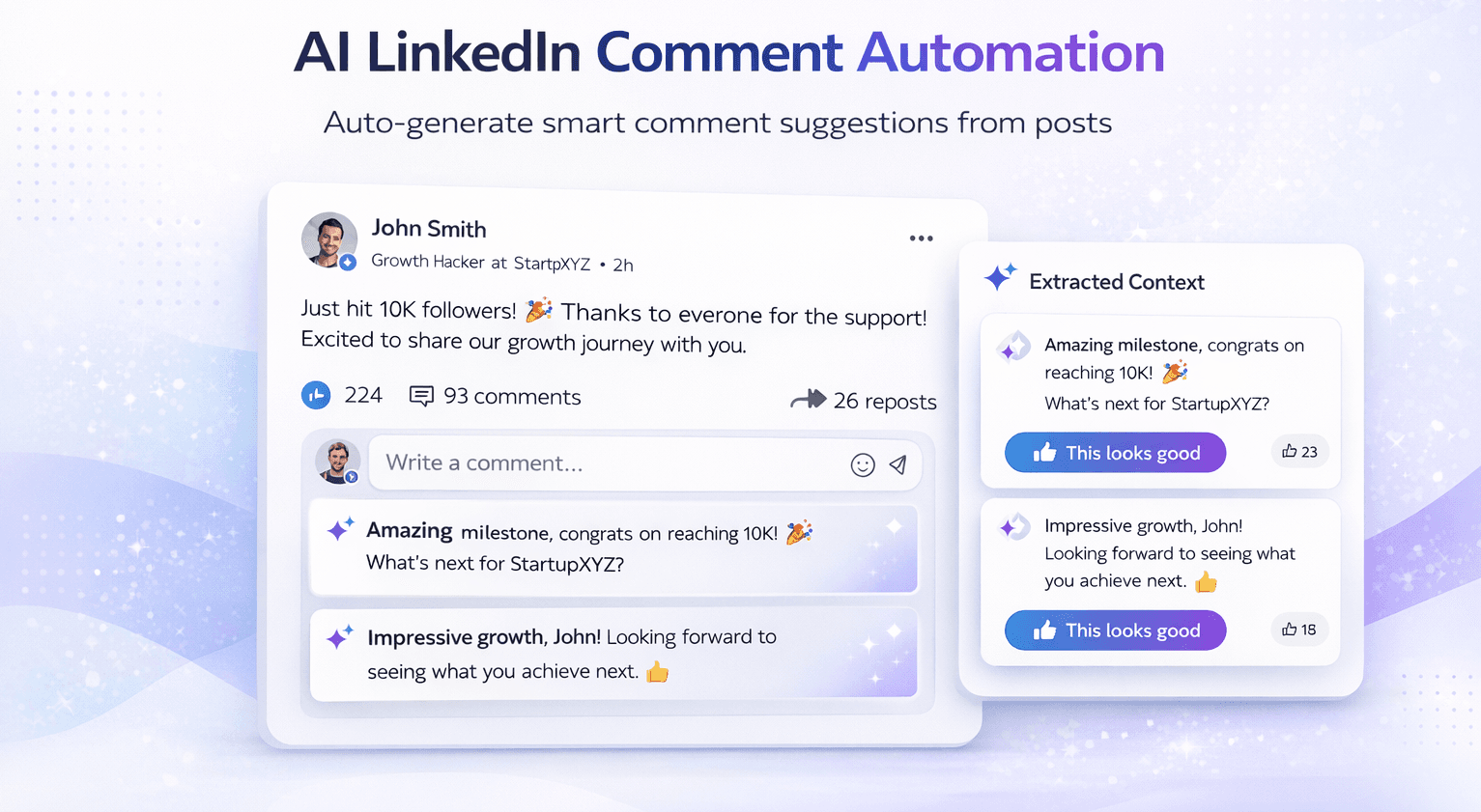
For professionals today, LinkedIn is more than just a digital resume—it's a global networking hub, a sales platform, and a primary source of industry authority. However, to truly grow on LinkedIn, you need more than just a great profile. You need to engage.
Engaging on LinkedIn means commenting on posts, sharing insights, and building relationships. But there’s a problem: writing thoughtful, high-quality comments for dozens of posts every day is incredibly time-consuming. Most people end up leaving generic replies like "Great post!" or "Thanks for sharing," which do absolutely nothing to stand out.
Enter the next generation of networking: The LinkedIn AI Comment Automation Tool. This Chrome extension is designed to help you stay active, relevant, and engaging without the mental fatigue of manual typing.
What is this LinkedIn Comment Automation Tool?
At its heart, this tool is a lightweight Chrome extension that integrates directly into your LinkedIn experience. Instead of forcing you to copy and paste text into a separate AI website, it adds a smart "AI" button right inside the LinkedIn comment box.
It "reads" the post you're looking at, analyzes the existing conversation, and suggests comments that are actually relevant to the topic. Whether you want to be supportive, inquisitive, or authoritative, the tool does the heavy lifting for you.
How It Works: Your New Engagement Workflow
The system is designed to be seamless. Here’s exactly how your new LinkedIn routine looks:
- Spot a Post: Scroll through your feed as usual. When you find a post you want to engage with, head to the comment section.
- Click the AI Button: A new, subtle AI button will appear right next to the standard post button.
- Choose Your Style: A small menu appears where you can select the "Type" of comment (e.g., Engagement Booster) and your desired word count (e.g., 20–30 words).
- Generate Suggestions: The AI quickly scans the post and generates three unique comment suggestions.
- Pick and Post: Review the suggestions, select your favorite, and hit "Post." You can even regenerate or edit them if they aren't quite perfect yet.
Key Features That Make a Difference
This isn't just a basic text generator. It’s built with professional results in mind.
1. In-Context AI Button
By living directly inside the LinkedIn interface, the extension eliminates "context switching." You never have to leave the platform to get your AI assist.
2. Personality & Identity Input
One of the biggest issues with AI is that it can sound generic. This tool allows you to input your Identity. If you’re a "Founder," the AI will use a visionary and leadership-focused tone. If you’re a "Software Engineer," it will sound more technical and analytical.
3. "Engagement Booster" with Emojis
Comments with emojis often get more attention. You can specifically select the "Engagement Booster" type, which ensures your comments are friendly, interactive, and visually appealing with carefully placed emojis.
4. Word Count Control
Sometimes you want a quick punchy reply; other times, you want a more detailed response. The tool gives you control over the length, with a standard "sweet spot" of 20–30 words that is perfect for LinkedIn’s algorithm.
5. Credit-Based Usage
The tool uses a transparent credit system. You can see your "Remaining Credits" right in the extension window (e.g., Remaining Credits: 1225), giving you full control over your usage and budget.
Example Workflow: From Scroll to Soulful Reply
Imagine you see a post from a Tier 1 leader in your industry discussing the "Future of Remote Work."
- Before AI: You spend 4 minutes thinking of something that doesn't sound stupid. You end up not commenting at all because you're busy.
- With AI:
- You click the AI button.
- You select "Engagement Booster" and "Identity: Founder."
- AI Suggestion: "As a founder, I’ve seen this shift firsthand! Remote work isn't just a trend; it's a fundamental change in how we value talent over location. Great insights here! 🚀"
- You hit post in under 10 seconds.
The Benefits: Why Every Professional Needs This
- Saves Massive Time: What used to take hours per week now takes minutes. You can stay top-of-mind with your network while focusing on your core work.
- Better Engagement Quality: The AI analyzes the post deeply, meaning your comments are often more thoughtful than a rushed manual reply.
- Consistent Visibility: The more you comment, the more the LinkedIn algorithm shows your profile to others. Consistency is the key to organic growth.
- Personalization at Scale: By using your identity input, every comment reflects your professional brand, not a generic bot's.
An Important Note on AI Ethics
While AI is incredibly powerful, it’s not perfect. It can occasionally misinterpret irony, sarcasm, or highly sensitive topics.
Always review the AI suggestions before hitting post. Think of the AI as your "First Draft Assistant." Use it to get 90% of the way there, and then add your final human touch.
Use Cases: Who Is This For?
- Founders & Executives: Build your personal brand and industry authority without spending all day on social media.
- Job Seekers: Stay visible to recruiters and hiring managers by engaging meaningfully with their company posts.
- Content Creators: Use the tool to quickly respond to mentors and peers, building a supportive circle around your own content.
- Agencies: Manage personal brands for multiple clients with high-quality, personalized engagement.
Conclusion: Networking at the Speed of Thought
Engagement is the heartbeat of LinkedIn success. By leveraging a custom Chrome AI extension, you're not "gaming the system"—you're simply removing the barriers that prevent you from being a supportive part of your community.
At DevPulseHub, we specialize in building these kinds of high-impact productivity tools. Whether it's a Chrome extension, a custom AI integration, or a full automation suite, we help you leverage technology to work smarter.
Ready to transform your LinkedIn presence? Explore our AI automation services at DevPulseHub and start leading the conversation in your industry today.
More Articles
The Ultimate Guide to Instagram Comment Automation: Scaling Engagement with AI
Master Instagram engagement with AI-powered comment automation. Learn how keyword-based rules and smart AI replies can transform your social media strategy.
April 2, 2026
The End of Inbox Overwhelming: How AI Email Automation Changes Everything
Stop spending hours manually sorting through your inbox. Learn how AI can read, extract, and act on your emails automatically.
March 30, 2026